HackMatrix
A downloadable game for Linux
HackMatrix
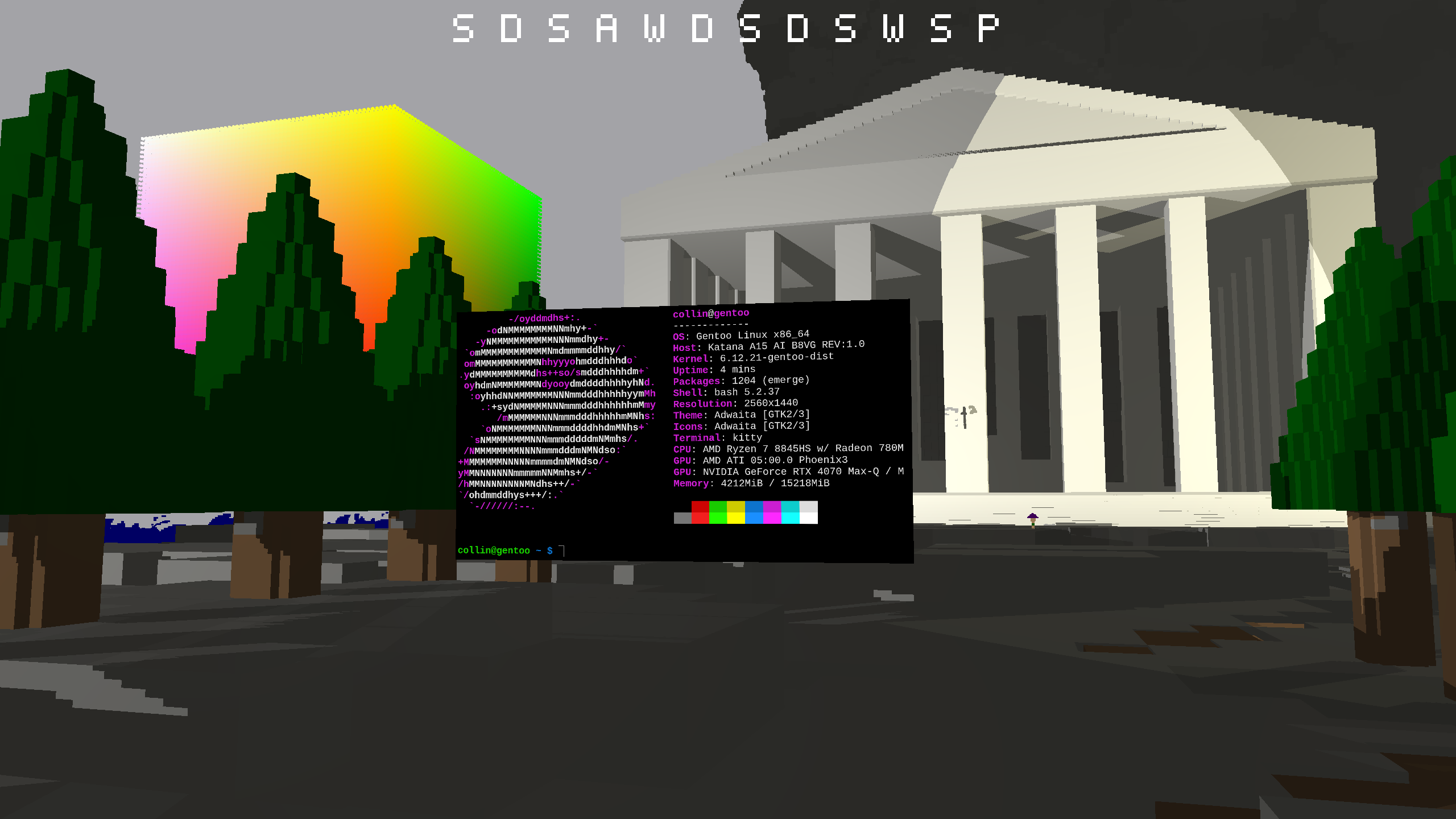
HackMatrix is Linux desktop for people who live in the future.
Requirements
You MUST have a Wayland desktop to launch (modern gnome and KDE are Wayland, for example so they would work) .
You can also launch from tty, but that is a bit trickier to configure.
glibc 2.38 or newer, roughly equivalent to Ubuntu 24.04 LTS.
Starting HackMatrix
You can start HackMatrix by running `./HackMatrix`
Ideally, you would run this from a tty, by pressing ctrl+alt+F<number>, probably F3 (depends on what ttys are already being used by your system). You can also access a tty by running `sudo chvt <number>` , `sudo chvt 3` for most systems.
You can also run HackMatrix inside another desktop environment, but it might run slower.
How to Use HackMatrix
Look around with the mouse.
Move with W, A, S, and D.
Opening an application
Press v to open the app launcher.
Type a program name and press Enter.
Closing an Application
Directly focus an application by clicking on it. (see below for Directly Focusing an Application, Angled/Free focus won't work for closing yet). Press `Super+q` to close.
Directly Focusing an Application
The window opens where you are looking.
Look at a window and click on it or press r to directly focus it.
Press Super+e to unfocus the current window and return to normal movement.
Angled/Free Focus of an application
When in normal mode, press `f` to gain cursor control. Then move the cursor onto the application you want to use. You can move the cursor between two applications are both of them are in view. Press `Super + e` to unfocus.
Location Hotkeys
Press `Super + Shift + <number>` to save a location into <numer>
Press `Super + <number>` to go to the saved location
Press `Super+e` to unfocus as usual.
Screenshots
Press `p` to take a screen shot. The screenshot will appear inside the project folder `<project_folder>/share/HackMatrix}/screenshots`. This file location is a bit strange because of the `HackMatrix}` path and this is due inconsistency when migrating to a portable binary. This will be fixed in a later release.
Exit
When you are not focused on a window, press Esc to exit HackMatrix.
If you are focused on a window first, press Super+e, then press
Esc.
Configuration
Configuration files should exist in `.config/hackmatrix` after starting the application for the first time.
FAQ
> Why?
Multiple answers to this.
1) I'm a cybernetician and design robots, so I wanted an OS that allows me to work with 3d objects. I'm working on a microvoxel system right now that will allow players to design things inside the desktop environment. I also am working on multiplayer (a rudimentary version exist) so players can collaborate. A design/build/hack MMO is the idea.
2) At some point I wanted to make a "game" ... so I started learning OpenGL, but the first thing I wanted to do was work on the game inside the game. So I rendered Emacs into it. That was years ago when it started out as an X11 project. People wanted VR (and I wanted better Nvidia support, which I could never get working on X11) so this year I migrated to Wayland which will enable both those things.
> Vulkan or OpenGL
OpenGL. At some point I may switch to Vulkan for better ray tracing when I do the microvoxel stuff.
Purchase
In order to download this game you must purchase it at or above the minimum price of $10 USD. You will get access to the following files:
Leave a comment
Log in with itch.io to leave a comment.